 Purchasing
 Inventories and waste
 Analytics and performance
 Recipe cards
 Production management
 HACCP
HACCP Mobile app
 Multi-location groups
 Casual dining
 Fast food
 Hotels
 Food courts
 Bakeries
AI assistant
Your Yokitup data in ChatGPT, Claude and Mistral
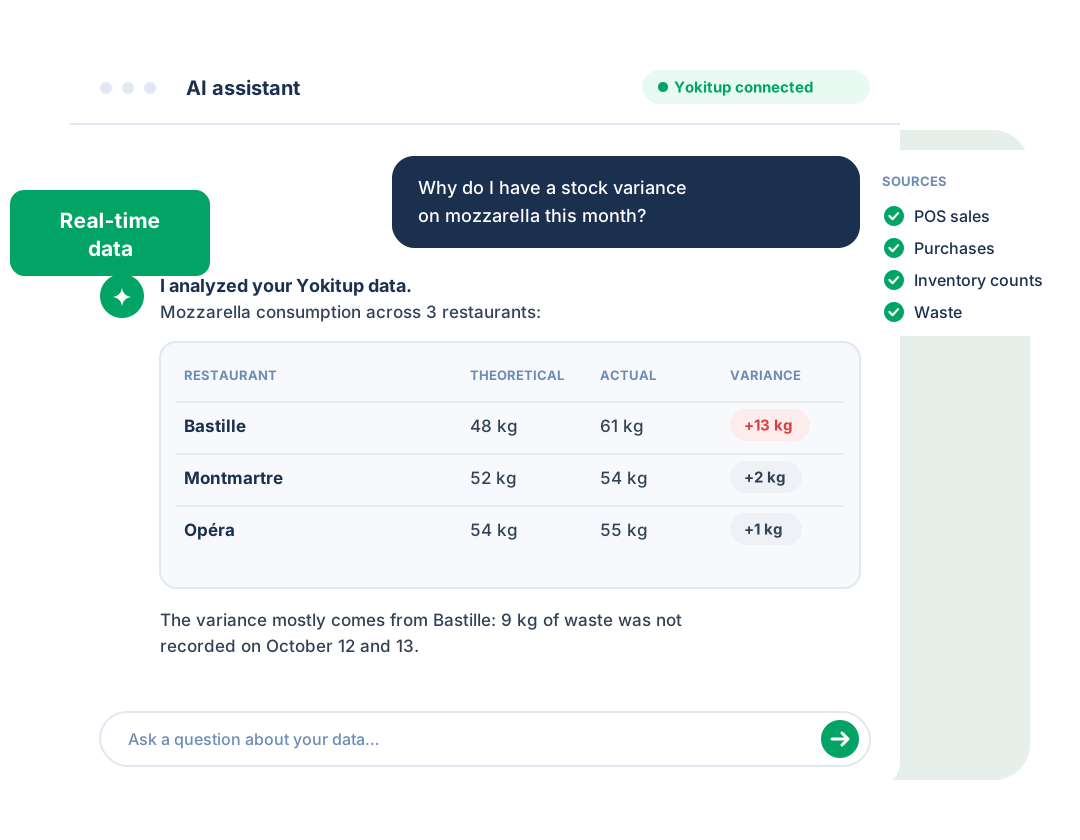
Ask your questions in plain language: sales, purchasing, waste, prices, food cost. Your AI assistant answers with your Yokitup data in real time, and can even create your products and recipes.
- Official ChatGPT and Claude connector
- Open to any MCP-compatible AI assistant
- Included in your Yokitup subscription















The Yokitup connector at a glance
The AI of your choice, plugged into your data

Connected in 2 minutes
Nothing to install: add the Yokitup connector to your assistant and sign in with your account.

Real-time data
Your assistant queries Yokitup directly. No exports, no copy-pasting, no outdated figures.

Secured with OAuth
You sign in with your Yokitup account, and you can revoke access at any time.

Open to every assistant
Official connector in ChatGPT and Claude, and compatible with any assistant that supports the MCP protocol.
Analyze and act
Your assistant does more than read your data
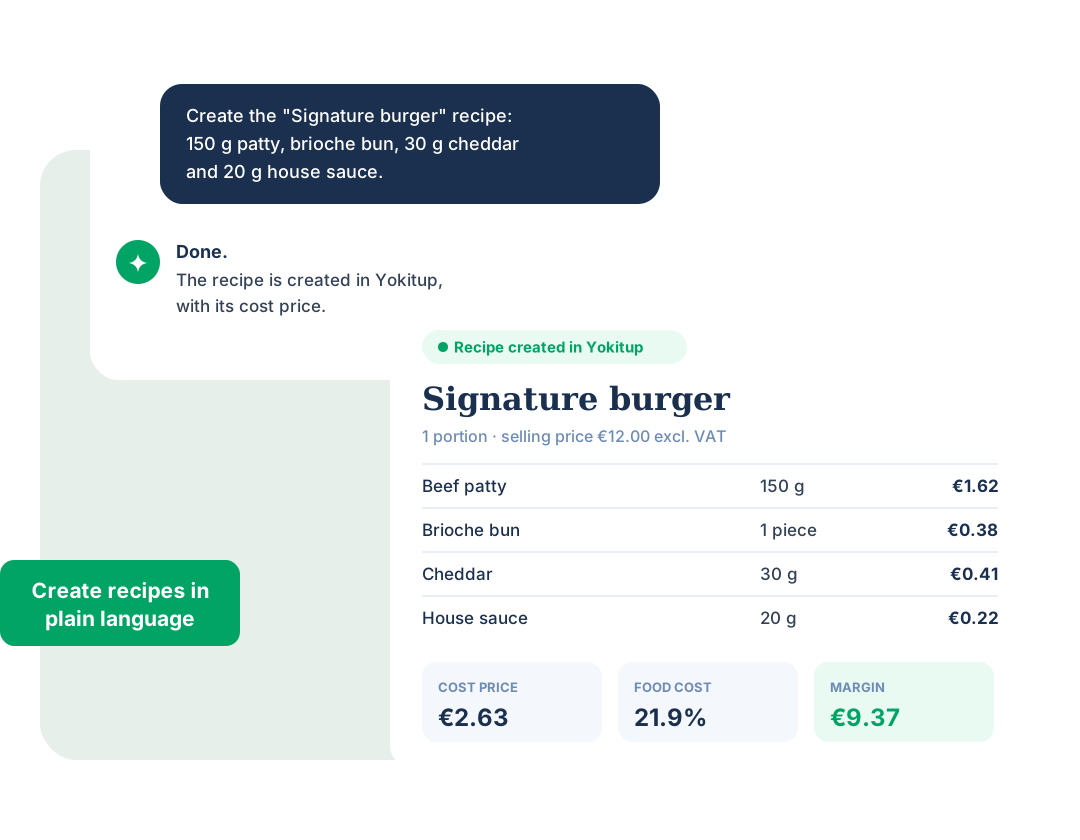
The Yokitup connector isn't just for questions: ask your assistant to create a product or a recipe and it does it directly in Yokitup, with an up-to-date cost price.
- Create and edit your products
- Create and edit your recipes
- Your Yokitup account permissions apply to every action
Example questions
What you can ask your assistant

Sales
“What were our best-selling products last month?”

Purchasing and suppliers
“How much did we buy from this supplier this quarter?”

Waste
“Which location recorded the most waste?”

Supplier prices
“Which supplier prices increased the most?”

Stock variances
“Why is there a stock variance on this product?”

Food cost
“Compare theoretical and actual food cost across my locations.”
Getting started
Connect Yokitup in 3 steps
1. Add the connector
In ChatGPT or Claude, add the Yokitup connector. In other assistants, paste the MCP server URL:
https://mcp.yokitup.com/mcp.2. Sign in
A window opens. Sign in with your Yokitup account and authorize access.
3. Ask your questions
Enable Yokitup in your conversation and ask your questions in plain language.
Frequently asked questions about the AI assistant
Is the AI connector a paid option?
No. The connector is included in your Yokitup subscription at no extra cost. Only your AI assistant subscription remains at your expense, depending on the plan you use.
Which AI assistants does it work with?
Yokitup has an official connector in ChatGPT and in Claude. Because it relies on a standard MCP server with an OAuth connection, it works with any MCP-compatible AI assistant.
Can my assistant change my data?
Yes, for some data. In addition to reading and analyzing your figures, your assistant can create and edit products and recipes. You stay in control of every request, and you can disconnect Yokitup from your assistant at any time.
What is the difference between the AI connector and the Yokitup API?
The AI connector (MCP server) lets you use Yokitup in plain language from an assistant such as ChatGPT or Claude, with no development. The public API is for developers: it connects Yokitup to your BI, your ERP or your internal tools. Its documentation is available at developers.yokitup.com.
Step up a gear!
Adopt Yokitup
- Web and mobile app
- Personalized support
- Integrated with your tools