 Purchasing
 Inventories and waste
 Analytics and performance
 Recipe cards
 Production management
 HACCP
HACCP Mobile app
 Invoices and prices
 AI assistant
 Multi-location groups
 Casual dining
 Fast food
 Hotels
 Food courts
 Bakeries
Supplier invoices and prices
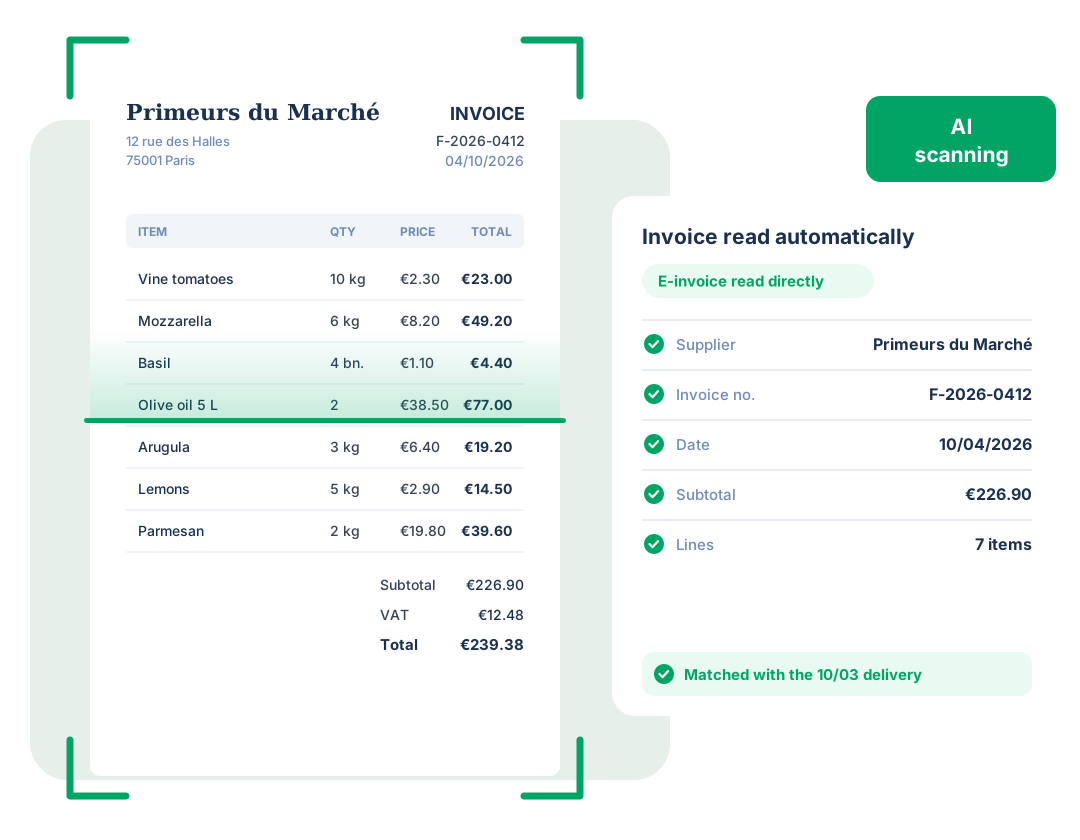
Your supplier invoices, read and checked by AI
Yokitup centralizes all your invoices, reads them with AI, compares them with what you actually received, and highlights every price change.
- AI invoice scanning
- E-invoice reading
- Matching with your deliveries















Receiving invoices
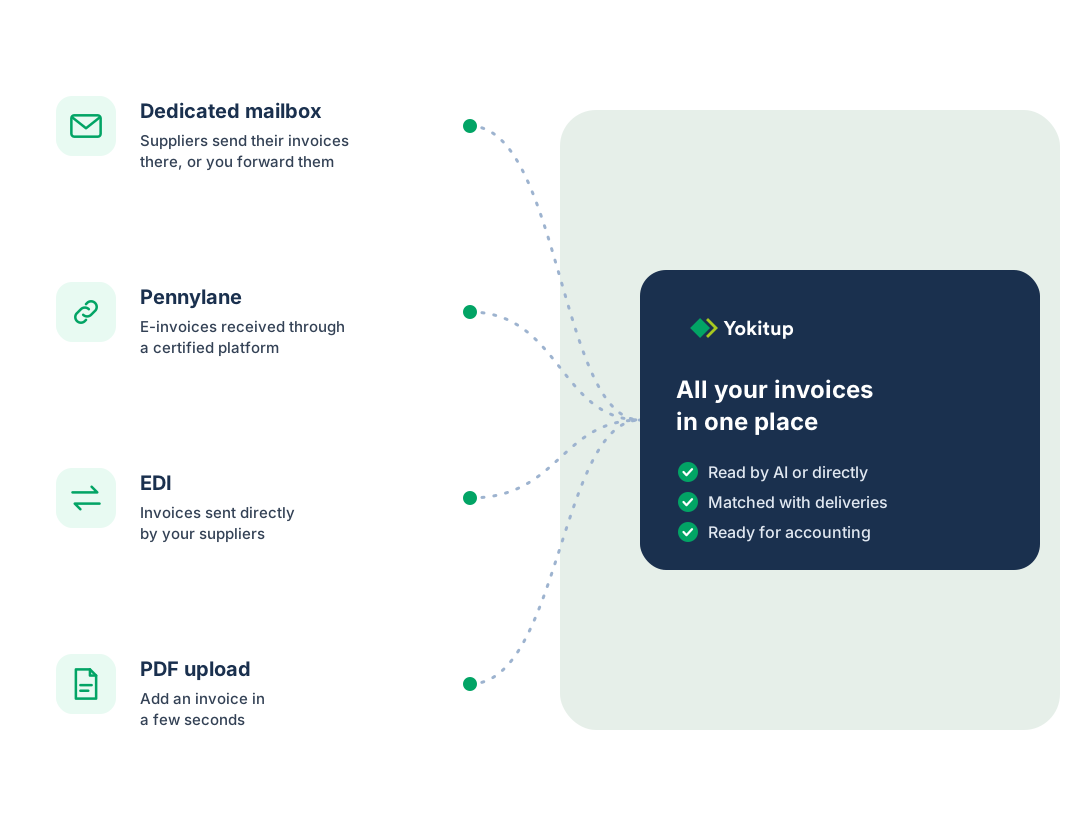
All your invoices in one place
Wherever they arrive, your invoices flow into Yokitup, linked to the right supplier and the right location.
A dedicated mailbox
Yokitup gives you an email address for your invoices. Your suppliers send them there directly, or you forward the ones you receive.
Pennylane
Invoices received in Pennylane flow into Yokitup automatically.
EDI
Your suppliers can also send their invoices via EDI.
PDF upload
Add a PDF invoice in a few seconds from Yokitup.
Reading invoices
No more re-keying invoices

AI scanning
AI reads each invoice and extracts the supplier, number, date, amounts and line items.

E-invoices
When an invoice is electronic, Yokitup reads its data directly, which is even more reliable than reading the PDF.

EDI
EDI invoices arrive already structured, with no reading needed.
Invoice checks
Check every invoice before you pay it
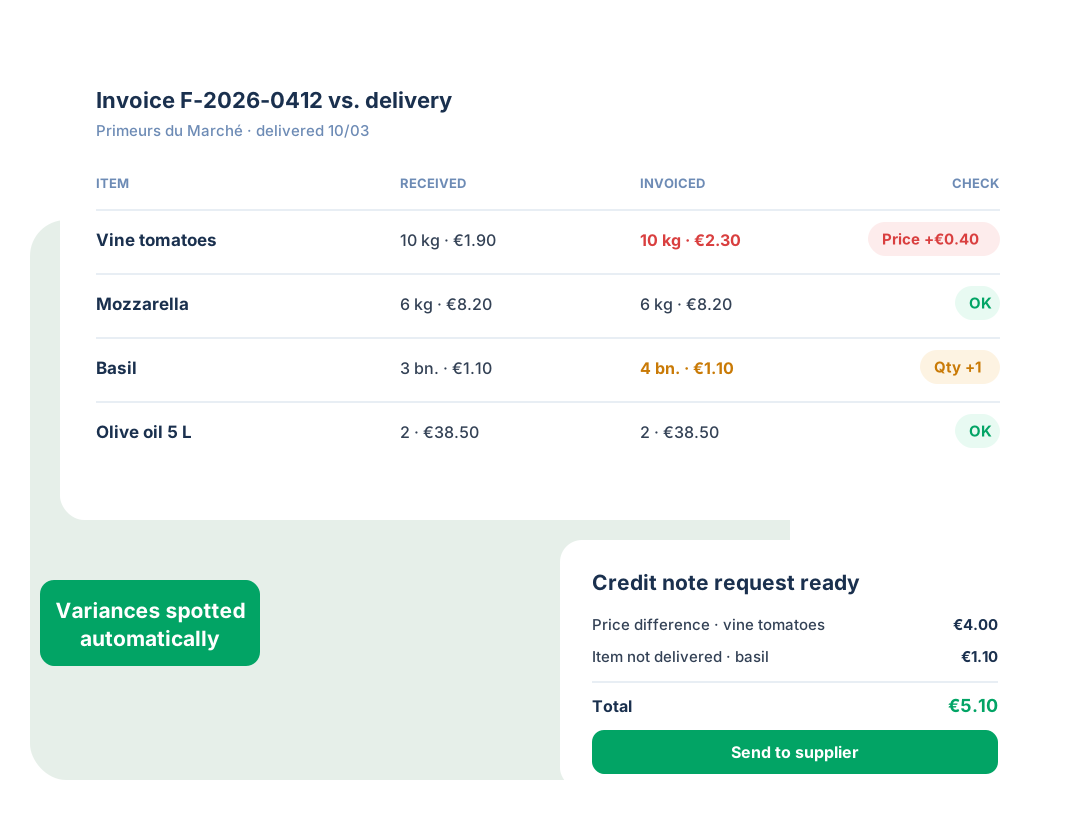
Yokitup compares what was invoiced with what you actually received: prices, quantities, missing items. Discrepancies stand out right away and the credit note request is ready to send to the supplier.
- Invoice and delivery matching
- Price and quantity discrepancies highlighted
- Credit note requests generated automatically
Price tracking
Keep an eye on your supplier prices
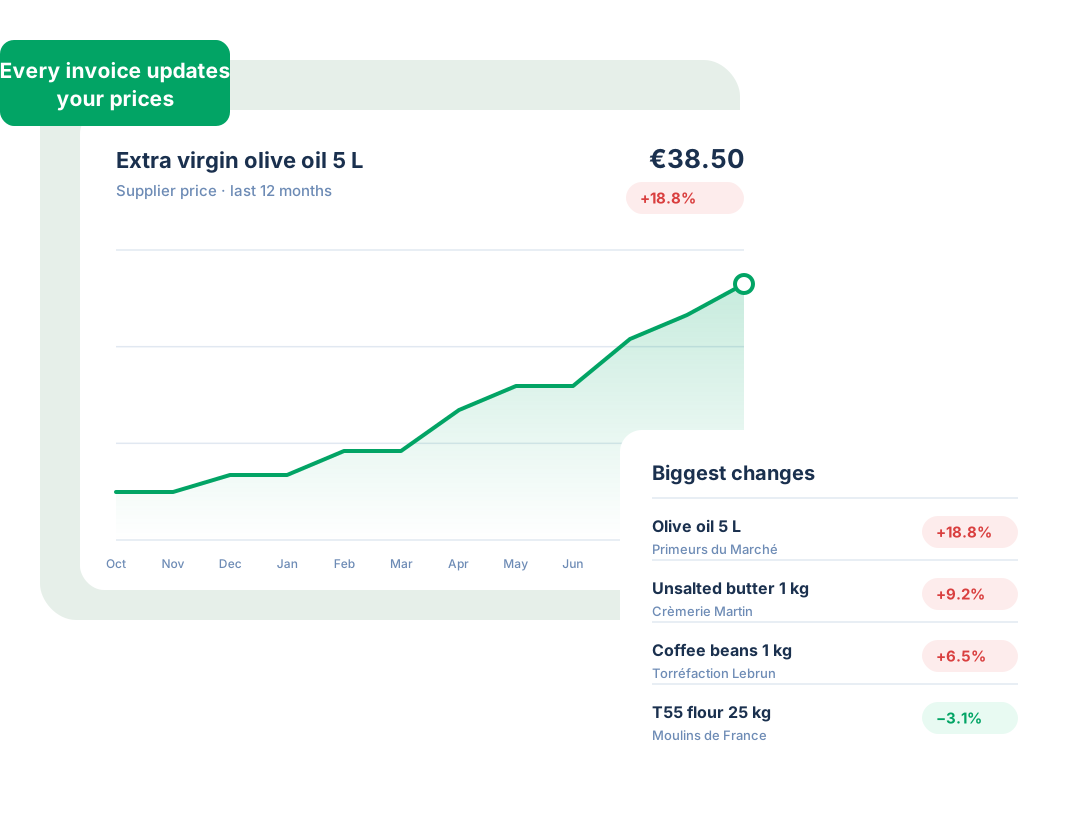
Every invoice updates your price history. Spot increases, compare suppliers and measure the impact on your margins.
- Price history for every item
- Biggest price changes highlighted
- Recipe cost prices updated automatically
E-invoicing
Electronic or PDF, every invoice gets read
With the French e-invoicing reform, your suppliers will gradually send you electronic invoices, delivered through a certified platform.
Thanks to the connection with Pennylane, a certified platform, these invoices flow into Yokitup automatically and their data is read directly. For all the others, AI scanning keeps doing the job. Nothing changes for your teams.
- E-invoice data read directly
- Connection to Pennylane, a certified platform
- AI scanning for PDF invoices
Step up a gear!
Adopt Yokitup
- Web and mobile app
- Personalized support
- Integrated with your tools
Frequently asked questions about supplier invoices
What is the difference between an e-invoice and a PDF invoice?
An e-invoice contains structured data (supplier, amounts, line items) that software can read directly. Yokitup reads this data without having to analyze the document. Regular PDF invoices are read by our AI scanning.
Is Yokitup a certified platform?
No. Yokitup is connected to Pennylane, which is a certified platform. You receive your e-invoices in Pennylane, and they flow into Yokitup automatically to be matched with your deliveries.
How do my suppliers send me their invoices?
Your invoices can reach Yokitup in several ways. They can be sent to your dedicated mailbox or received through Pennylane. Your suppliers can also send them via EDI, and you can always upload a PDF yourself.
What happens when an invoice doesn't match the delivery?
Yokitup compares the invoice with what you received. If prices or quantities differ, the discrepancy is flagged and a credit note request can be generated automatically for your supplier.