 Purchasing
 Inventories and waste
 Analytics and performance
 Recipe cards
 Production management
 HACCP
HACCP Mobile app
 Invoices and prices
 AI assistant
 Multi-location groups
 Casual dining
 Fast food
 Hotels
 Food courts
 Bakeries
Inventory management
Make restaurant inventory counts easier: free software
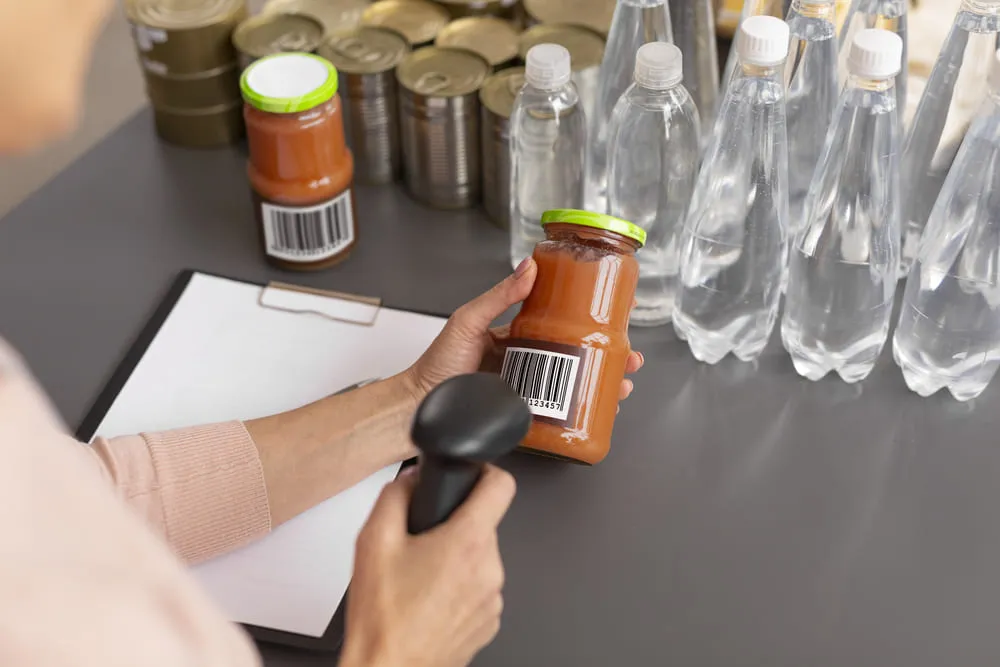
Managing inventory counts in a restaurant can be a real nightmare. But with the right strategies and tools, the inventory count becomes an opportunity to maximize profitability.
How often should you count your inventory? What is my ideal stock level? How can I cut my spending and my losses?
Here are 5 methods to apply (right away) in your restaurant, with our free inventory management software as a bonus.
No need to thank us, it’s on the house. 🎁
Why inventory counts matter in restaurant inventory management
Why are inventory counts essential?
Managing raw material costs:
Accurate inventory management lets you keep your stock and spending under control, avoid overstocking and optimize your purchasing.
Preventing losses:
Losses from expired products, theft or human error affect a restaurant’s profitability. Inventory counts let you detect these problems quickly and take corrective action before they hurt your financial results.
Making your teams’ work smoother:
The goal here is to save time and avoid mistakes. Inventory counts ensure the products needed to prepare dishes are available, improving kitchen efficiency and preventing stockouts.
What is the ideal inventory count frequency?
For a full or nearly full physical count, the standard is one count per month. For partial counts, determining the ideal frequency is key to setting up a schedule and an inventory sheet.
What are the influencing factors?
The size of the restaurant, the products you stock, the seasonality of ingredients and market demand. For example, a restaurant with seasonal products may need more frequent counts to quickly adjust its raw material purchasing.
Organizing things better for your teams
Quiet periods can be a good time for inventory counts, making your teams’ work easier.
💡 Good to know: You can carry out more frequent partial counts on certain expensive products (meat or fish). This lets you react quickly if something is wrong.

Methods to make inventory counts easier
#1 Efficient inventory management
Categorize your products:
Sort your ingredients by category (meat, dairy, vegetables, etc.) to make your counts simpler. This makes products easier to find and minimizes the risk of errors during counts.
Set up a clear and easy-to-understand labeling system:
Barcodes, QR codes or labels with detailed information help you identify stock coming in and going out. HACCP management software can also be integrated to make this process easier.
Organize your stock around the products you use
The most frequently used products should be stored in easily accessible places. The aim is to make your team’s day-to-day inventory management easier.
Stock rotation (FIFO):
The FIFO (First In, First Out) method minimizes losses due to products expiring. It consists of using the oldest products first. This ensures rotation and avoids wasting products that stay in stock too long.
#2 Identify an optimal stock level
Analyze demand trends:
Use historical data to identify peak periods and slower periods. This in-depth analysis helps you anticipate seasonal fluctuations and maintain optimal stock levels throughout the year.
Set a safety stock:
Identify the products that are essential to your menu and calculate safety stocks that act as a buffer. This will help you cope with unexpected demand or delays in your purchasing.
Cost-benefit analysis:
Carry out a cost-benefit analysis for each product. Identify the costs of excess stock, such as storage costs and products lost to expiry. Weigh these costs against the benefits of keeping higher stock levels for high-demand products.
#3 Monitor your losses
Proactive loss management is essential to maintain a restaurant’s profitability and limit food waste. These strategies will help you set up an effective inventory sheet system in each location. The goal is to monitor losses to minimize their financial impact and reduce waste.
Make staff aware of the associated costs:
Explain the financial impact of expired products and waste using structured inventory sheets. A thorough understanding of the financial stakes motivates staff to adopt more responsible practices.
Set up regular loss reports
These reports give a clear view of the products subject to frequent losses and inventory discrepancies. By analyzing this data, restaurateurs can identify trends, determine root causes and take swift corrective action.
#4 Deal with unexpected shortages or surpluses
Draw up a contingency plan
This plan should include procedures for how to react in the event of mismanagement, stockouts or surpluses. Make sure all staff are trained and familiar with these protocols.
Readjust your supplier orders
Continuously monitor market prices and adjust your orders accordingly. Use historical data and sales forecasts to optimize your raw material purchasing. Adjusting orders regularly helps prevent shortages and overstocking.
Adjust your menus
You can adjust your menus according to changes in stock. Offer alternative dishes or special promotions to quickly use up surplus stock.
#5 Our free tool to manage your inventory counts and recipe cards
As a restaurant professional, you know that managing your inventory counts in Excel is far from ideal.
Yokitup has developed the first completely free tool for quick-service and full-service restaurants, bakeries and hospitality businesses. Forget inventory sheets, free inventory sheet templates and Excel stock management!
You can create your free account in just a few clicks 👉 Free inventory management software
Better than a free Excel inventory spreadsheet, you can now manage your recipe cards and carry out your inventory counts with ease. Zero inventory sheets, zero Excel stock spreadsheets: it’s time to go digital! You can analyze the cost price of each ingredient in real time and evaluate the profitability of your dishes.
The benefits for restaurateurs:
✅ Reduce human error
✅ Save your teams precious time
✅ Minimize losses and food waste
✅ Value your stock automatically
Want to know more? Our team helps you set up the best inventory management strategy for your restaurants.